
🧾 Free guide
Fill in a PDF form for free
Applications, school forms, sign-up sheets: fill them in on your computer instead of printing them, for free.
Free · no account · no ads · your file never leaves your computer
How to do it
- Open Unicorn PDFRight in your browser, nothing to install.
- Open the formDrop it in or click Open.
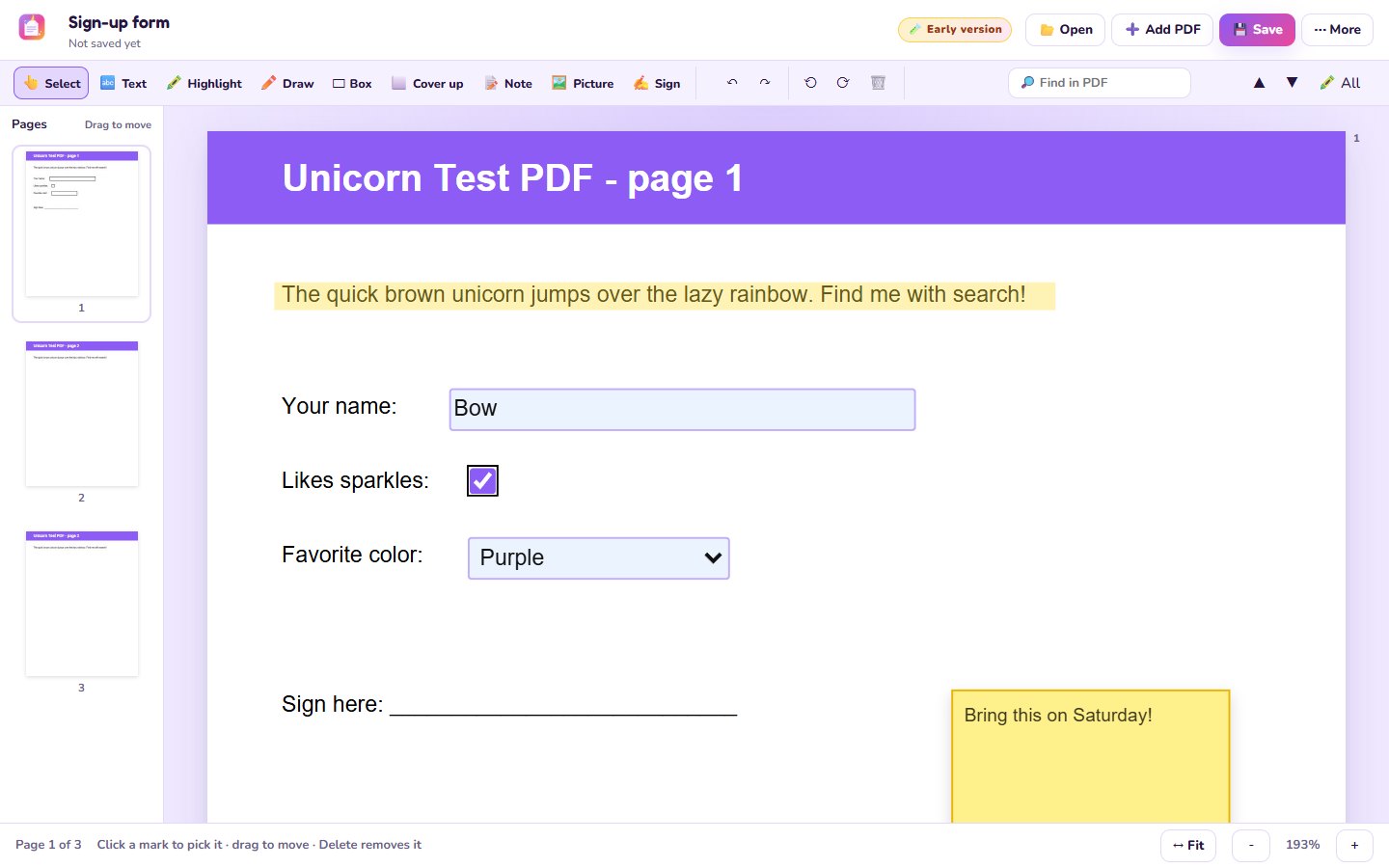
- Click the blue boxesType your answers, tick the checkboxes and pick from the lists.
- No boxes? Add text anywhereSome forms are just pictures of paper. Use 🔤 Text to type on top of them.
- Sign and saveAdd your signature with ✍️ Sign, then 💾 Save.
Good to know
- When you save, the form stays fillable, so you can change answers later.
- Use ⬜ Cover up to hide something under white, and 🖍️ Highlight to point things out.
Questions
Will the boxes still work after saving?
Yes, a form you fill in stays a form.
The form has no boxes to click
That happens with scanned forms. Use 🔤 Text to type anywhere on the page.
Is it free?
Completely free. No account, no ads.