
💜 Free guide
A free budget spreadsheet, no sign up
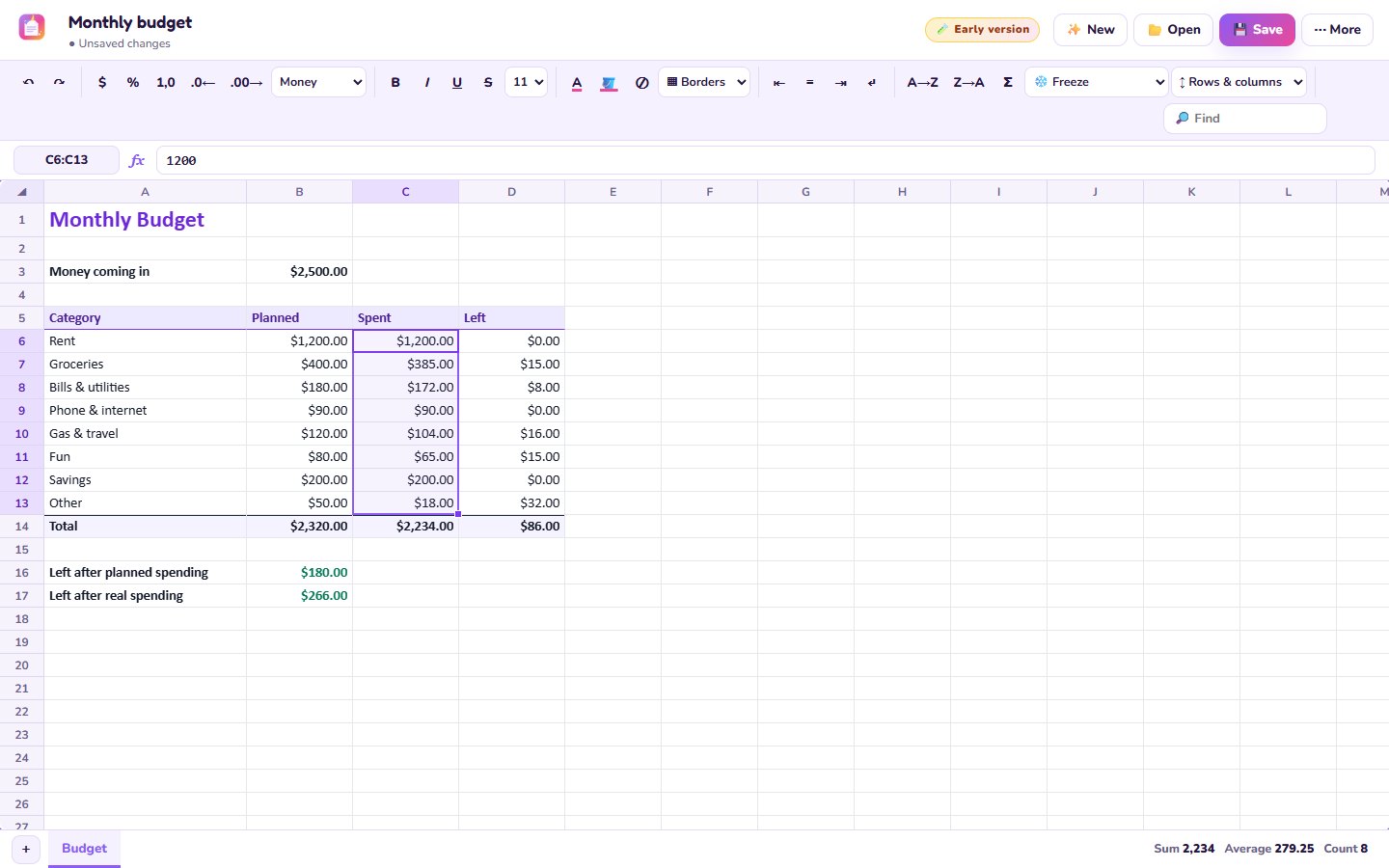
See where your money goes each month. The budget template does the math for you, and it saves as a normal Excel file.
Free · no account · no ads · your file never leaves your computer
How to do it
- Open Unicorn SheetsRight in your browser.
- Pick 🎨 Templates → Monthly budgetIt comes with rent, groceries, bills, gas, fun and savings already set up.
- Type your money coming inAnd what you plan to spend in each spot.
- Fill in what you really spentThe “Left” column and the totals update by themselves.
- Save it as ExcelOpen it again next month, in Unicorn Sheets or Excel.
Other free templates
- 🛒 Shopping list that adds up the cost
- 🧾 Simple invoice for small jobs
- 🐷 Savings goal that tells you how many weeks to go
- 🧹 Weekly chores chart
Questions
Can I open it in Excel?
Yes, it saves a normal .xlsx file.
Is my money info private?
Yes. It never leaves your computer, nothing is uploaded.
Do formulas work?
Yes, about 90 of them, like SUM, IF and VLOOKUP.